
 |
Wednesday, September 11, 2013

Monday, September 09, 2013
New Solution for Copy Shops from HP

The new printer helps customers increase their print offerings to address a wider range of requests without a large capital investment.
Copy shops often fulfill urgent and diverse print requests, so they depend on solutions that can produce a large variety of applications quickly and efficiently without compromising quality. The HP Designjet Z5400 PostScript ePrinter helps copy shops respond to these demands.
The 44-inch device is ideal for printing large-format applications with high image quality, such as posters, photos, canvases, backlit prints, indoor signs, point-of-sale posters, line drawings and maps. The HP ePrinter provides fast delivery of completed print projects with two-roll media and automatic switching features. This increases productivity by reducing time spent changing media as well as downtime in between multiple print jobs.
Copy shop customers expect quick turnaround times and prints with consistent color tones and image quality. The HP Designjet Z5400 PostScript ePrinter features HP Multi-Dimensional Smart Drop Placement Technology, which provides increased levels of color accuracy for reliable operation. Based on automatic drop detection and intelligent masking capabilities, the technology detects then corrects ink placement errors during printing to increase efficiency and reduce waste.
"In this highly competitive industry, the HP Designjet Z5400 PostScript ePrinter enables us to expand our in-house print capabilities with a wide variety of high-quality color applications," said Brandon Harrop, art director, Express Imaging. "We can now complete print jobs faster with the printer’s two-roll media feature and expect to triple our business with a wider variety of print offerings."
Driving business growth with increased efficiency and durability
Copy shops can employ HP Instant Printing PRO to preview, crop and easily print PDF, PostScript, HP-GL/2, TIFF and JPEG files. Additionally, the web-connected HP Designjet Z5400 features automatic software updates, USB flash drive or email printing, as well as a color touch screen and print preview for quick checking of prints.
The HP Designjet Z5400 PostScript ePrinter allows copy shops to produce durable, water-resistant prints that can last up to 200 years. The HP ePrinter uses six HP Photo Inks with three different shades of black to produce quality color and black-and-white images with up to 2,400 x 1,200 dots per inch (dpi).
"Our customers are constantly under competitive pressure to differentiate their print offerings and meet tight deadlines," said Ramon Pastor, vice president and general manager, Large Format Printing, HP. "To help our customers address these needs, HP continues to deliver innovations built to fit the varying demands of graphic professionals."
Large-format portfolio expanded with the customer in mind
With the addition of the HP Designjet Z5400 PostScript ePrinter, HP continues to provide affordable and easy-to-use large-format printing solutions. Designed to deliver high-quality, durable prints with speed, productivity and efficiency, the HP Designjet Z-series printers includes:
· HP Designjet Z6200 Photo Printer: Ideal for copy shops and print service providers who strive for the highest print quality and maximum speed.
· HP Designjet Z5200 PostScript Printer: With eight inks, this device is suited for copy shops that have a demand for high-quality, graphic print jobs with an affordable solution.
· HP Designjet Z3200 and Z2100 Photo Printers: These two printers, with 12 inks and eight inks, respectively, provide high-impact, long-lasting color prints with a wide color-gamut for pro labs, photography and graphic design professionals.
Visit our webstore for high quality wide-format printer supplies
Source: HP Expands Designjet Z-Series Portfolio With New Solution for Copy Shops
Tuesday, August 27, 2013
Monday, August 26, 2013
Thursday, August 22, 2013
Recyclable Printers by Samsung
Samsung just introduced 3 conceptual model printers -- Origami, Clip and Mate. They are made from recyclable materials which helps reducing plastic material usage, protecting the environment and reducing the package box materials which are being thrown away after opening the package. Printers' manufacturing process is simplified to reduce the printers' costs.
The 3 printer models received gold medals at the Industrial Designers Society of America (IDSA) exhibition this year.
Samsung Origami is a recyclable personal mono printer, designed for eco-conscious. Its exterior is made of 100% recyclable paper while still ensuring the high level of durability. The model name was inspired by the Japanese art of paper folding which turns a cardboard box into the printer's body. In addition, at the end of the printer's life, its material can by recycled to produce more paper for printing. This eco-friendly circulation is Origami's key concept. However, Samsung state the Origami's batch production is highly unlikely.
Samsung Clip's body resembles the Origami body but it was made of compressed polyethylene plastic. The printer assembling process is very simple with no need of any technical knowledge or assembling tools. One can simply fold and snap the shell together. The Clip' batch production more is likely after clearing some technical problems.
Samsung Mate allows users to easily personalize the printer based on their desired color combination and mood. The exterior printer housing is composed off different-sized modular panels available in a variety of colors. The modular panels are assembled and integrated with the internal engine unit using a sliding method, removing the need of screws and frustrating, time-consuming assembly work.
Visit our web store for your printer supplies needs
The 3 printer models received gold medals at the Industrial Designers Society of America (IDSA) exhibition this year.
Samsung Origami is a recyclable personal mono printer, designed for eco-conscious. Its exterior is made of 100% recyclable paper while still ensuring the high level of durability. The model name was inspired by the Japanese art of paper folding which turns a cardboard box into the printer's body. In addition, at the end of the printer's life, its material can by recycled to produce more paper for printing. This eco-friendly circulation is Origami's key concept. However, Samsung state the Origami's batch production is highly unlikely.
Samsung Clip's body resembles the Origami body but it was made of compressed polyethylene plastic. The printer assembling process is very simple with no need of any technical knowledge or assembling tools. One can simply fold and snap the shell together. The Clip' batch production more is likely after clearing some technical problems.
Samsung Mate allows users to easily personalize the printer based on their desired color combination and mood. The exterior printer housing is composed off different-sized modular panels available in a variety of colors. The modular panels are assembled and integrated with the internal engine unit using a sliding method, removing the need of screws and frustrating, time-consuming assembly work.
Visit our web store for your printer supplies needs
Thursday, August 15, 2013
Tuesday, August 13, 2013
First InkJet Printer to Feature NFC Mobile Print and Scan by Brother

NFC (Near Field Communication) is a short-distance wireless protocol that allows the user to "touch to connect" for direct printing or scanning from NFC-capable mobile devices, without the need for a wireless network, (the MFC-J870dw must be connected via its WiFi connectivity to the Internet).
With Wi-Fi Direct printing, users can wirelessly print from a compatible mobile device without a router or wireless network.
The MFC-J870dw, as with all models in Brother’s Work Smart series, also feature a Wireless Assistant, a new wireless network tool that requires no USB cable or password, for easier wireless setup. All models in the WorkSmart series feature front-loading ink cartridges, and free phone support for the life of the product.
Specifications for the MFC-J870dw include:
· Print speed rated at 33 (black)/27 (color) ppm in Fast Mode.
· Print speed rated at up to 12 (black)/10 (color) ppm using the ISO/IEC 24734 test method.
· 2.7" touch screen plus touch panel that only shows the keys needed for the function being used.
· 20-page automatic document feeder for fax, copy, and scan.
· Automatic (2-sided) duplex printing.
· Wireless 802.11b/g/n and wired Ethernet network connectivity.
· Wireless printing from mobile devices via Google Cloud Print, Brother iPrint&Scan, Wi-Fi Direct, and Cortado Workplace
· Web connectivity from the touch screen with Facebook, Picasa Web Albums, Flickr, Google Drive, Evernote, and Skydrive, so that, from the touch screen, users can print documents and photos stored at these Web sites, as well scan documents and photos to these Web sites.
· Software for scanning.
· Ink Save Mode that helps reduce ink consumption per page by outlining images for draft printing.
· Four separate ink cartridges so that users only replace the ink that’s empty.
· Uses standard or high-yield ink cartridges.
· Print from and scan to media cards; print from PictBridge-enabled cameras and USB memory drives.
· 20-sheet photo bypass tray for printing on photo-size media.
· Print directly on CD/DVD/Blu-Ray discs.
· 2-year limited warranty and toll-free technical support for the life of the machine
Brother will also be introducing a full line of Work Smart Series inkjet all-in-ones to replace its current SOHO inkjet series. The MFC-J650dw ($129.99), MFC-J470dw ($99.99), and MFC-J285dw ($99.99) will all be available in late August 2013.
Visit our web store for high quality Brother printer supplies
Source: Wirth Consulting
Wednesday, August 07, 2013
Xerox MFPs and Scanners Can Alter Numbers on Scanned Documents
The machines randomly change details on scanned documents on certain settings.
PC World reported on the findings of computer scientist David Kriesel, who last week posted a number of scans on his website after discovering information had changed from the original documents to the scans.
Kriesel used a Xerox WorkCentre 7556 to scan some building construction documents, with the floorplan scanned marking each room with its area in square metres – 14.13m2, 21.11m2 and 17.42m2 – but on studying the scans, he discovered that the figures had changed from the original document. Having switched off optical character recognition, Kriesel knew "it wasn’t related to that", and so he investigated further.
He soon found that "when scanned in TIFF mode, a pixel-for-pixel reproduction, the copy was identical to the original", but when images were compressed, "things started getting weird", with one image showing every room marked with 14.13m2, another with two rooms marked 17.42m2, and a third with two labelled 14.13m2.
Kriesel stated on his website that "there seems to be a correlation between font size, scan dpi used", and that he "was able to reliably reproduce the error for 200 DPI PDF scans without OCR, of sheets with Arial 7pt and 8pt numbers". He instantly began receiving emails from other Xerox users after publicizing his findings, and narrowed down the issue to the scanner’s JBIG2 image compression.
The compression software, in order to "reduce file space", looks for areas in an image "that are similar" and "makes one compressed version and reuses it across all the similar areas", and because the numbers were printed "in a small, fine font, the scanner apparently mistook them for identical and reused data resulting in figures for room area getting reproduced".
In a statement responding to the claims, Xerox confirmed the JBIG2 software "as being at the root of the problem", noting that it "stems from a combination of compression level and resolution setting", and that the machines have been warning users "for years" that this could occur. The OEM continued by stating: "The devices mentioned are shipped from the factory with a compression level and resolution that produces scanned files which are optimized for viewing or printing while maintaining a reasonable file size."
"We do not normally see a character substitution issue with the factory default settings however, the defect may be seen at lower quality and resolution settings. For data integrity purposes, we recommend the use of the factory defaults with a quality level set to 'higher'."
Visit Priceless Ink & Toner for high quality Xerox printing cartridges
Source: Xerox MFPs and scanners can alter numbers on scanned documents
Friday, August 02, 2013
Remanufactured Laser Toner Cartridges. It's Your Choice
Using remanufactured inkjet cartridges and laser toner cartridges is purely budgetary consumer choice:
· Remanufactured products provide a quality, Earth friendly and economical alternative that saves you money.
· Remanufactured cartridges can have a 60% smaller carbon footprint than the OEM products
· You can save up to 50% of the cost of the OEM consumables
· Remanufactured inkjet cartridges and toner cartridges have been fully reconditioned, refilled with toner or ink and tested before sold.
Visit Priceless Ink & Toner for high quality remanufactured inkjet cartridges and laser toner cartridges
· Remanufactured products provide a quality, Earth friendly and economical alternative that saves you money.
· Remanufactured cartridges can have a 60% smaller carbon footprint than the OEM products
· You can save up to 50% of the cost of the OEM consumables
· Remanufactured inkjet cartridges and toner cartridges have been fully reconditioned, refilled with toner or ink and tested before sold.
Visit Priceless Ink & Toner for high quality remanufactured inkjet cartridges and laser toner cartridges
Thursday, July 25, 2013
Print your Inkjet Cartridge
Ink Factory has developed and produced 3D-printed inkjet cartridges that work in an inkjet printer, presenting the possibilities of the technology for consumers and businesses in the industry.
The company revealed that it had "been following the growing trend of 3D printing with some interest", and noted that "it was only a matter of time before the conversation" turns to "what could we create".
Ink Factory added that it had considered two questions: "would it be possible for the home user to print their own ink cartridges and so save money, [and] would it ever be possible in the future to produce some sort of 'print your own' inkjet cartridge kit?". As a consequence, the company purchased a MakerBot Replicator 2 desktop 3D printer and some colored plastics, and drew up a plan to produce printed inkjet cartridges over the course of a few weeks.
In terms of a model, the company chose Kodak 30C and Kodak 30B inkjet cartridges based on its "level of industry knowledge", and next created a 3D model in SolidWorks, a CAD (Computer-Assisted Design) program that can create 3D object, with the two cartridges replicated in digital form. It next utilized the software included with the 3D printer to "create a file that could be sent to the 3D printer", called MakerWare, which contained a "slicing engine' that tells the machine how to print the model.
Once the models were imported into MakerWare, Ink Factory exported the files to the printer for the printing process, noting that "during the process several modifications had to be made", but that "we soon had a working inkjet cartridge". The next and final step was to test the cartridges in a Kodak ESP C110 color inkjet machine, with the results – including a color test page printed without errors.
The company added as a conclusion that "we have learnt a lot about 3D printing" and that the recent news that Microsoft would be including 3D printing software from MakerBot in a forthcoming Windows 8 update showed that "3D printing is fast becoming a part of everyday technology as we move forward".
Source: UK company makes "world’s first" working 3D-printed cartridge
The company revealed that it had "been following the growing trend of 3D printing with some interest", and noted that "it was only a matter of time before the conversation" turns to "what could we create".
Ink Factory added that it had considered two questions: "would it be possible for the home user to print their own ink cartridges and so save money, [and] would it ever be possible in the future to produce some sort of 'print your own' inkjet cartridge kit?". As a consequence, the company purchased a MakerBot Replicator 2 desktop 3D printer and some colored plastics, and drew up a plan to produce printed inkjet cartridges over the course of a few weeks.
In terms of a model, the company chose Kodak 30C and Kodak 30B inkjet cartridges based on its "level of industry knowledge", and next created a 3D model in SolidWorks, a CAD (Computer-Assisted Design) program that can create 3D object, with the two cartridges replicated in digital form. It next utilized the software included with the 3D printer to "create a file that could be sent to the 3D printer", called MakerWare, which contained a "slicing engine' that tells the machine how to print the model.
Once the models were imported into MakerWare, Ink Factory exported the files to the printer for the printing process, noting that "during the process several modifications had to be made", but that "we soon had a working inkjet cartridge". The next and final step was to test the cartridges in a Kodak ESP C110 color inkjet machine, with the results – including a color test page printed without errors.
The company added as a conclusion that "we have learnt a lot about 3D printing" and that the recent news that Microsoft would be including 3D printing software from MakerBot in a forthcoming Windows 8 update showed that "3D printing is fast becoming a part of everyday technology as we move forward".
Source: UK company makes "world’s first" working 3D-printed cartridge
Tuesday, July 23, 2013
Thursday, July 11, 2013
Where does the ink go?
The printer ink might be the most expensive liquid you buy. Even the cheapest ink, at about $13 an ounce, costs more than a fine Champagne, while the priciest, at about $75 an ounce, is more costly than, a Chanel No. 5 perfume.
But exclusive new tests in Consumer Reports' labs show that a lot of the printer ink probably never even makes it onto printed pages. Instead, it's used to clean print heads and for other maintenance chores, typically when the printer is preparing to print after sitting idle for some time.
The tests in Consumer Reports' lab, done in cooperation with International Consumer Research and Testing, an independent consumer testing and research organization, confirm that some printers use much more ink than others in those rituals—and the extra cost of using those models can add up to $100 or more a year.
The Truth
For some time consumers are complaining about getting a lot less mileage out of their printers' inkjet cartridges than they expected—less than even the printer tests showed they should get. The ink usage tests we have conducted in recent years, which are similar to the standard industry tests that printer manufacturers rely on to measure ink usage, consist of printing pages continuously in big batches.
The fact that these consumers were able to print far fewer pages than tests suggested is that those consumers were printing intermittently, perhaps a handful of pages a few times per week, rather than continuously.
To determine whether intermittent use would cause such a shortfall, Consumer Reports devised a new test, in which they printed 30 pages, in batches of two or three pages, once or twice every work day or two for three weeks. And they shut off the printer between sessions, as many consumers do. The results, based on tests of dozens of current all-in-one inkjets representing the leading brands, confirmed: In intermittent use, plenty of models delivered half or less of their ink to the page, and a few managed no more than 20% to 30%. True, most models wound up using the majority of their ink to actually print, though only a few came within striking distance of using it all. (The tests included text and graphics, but not photos because most people print those relatively infrequently).
Where the ink goes
Manufacturers say it is par for printers to consume ink in ways that don't wind up on the page. For example, HP say, "Some ink . . . must be used to maintain the health of the print head; some ink is residual; and some ink evaporates." But when the manufacturers were contacted, they were mum on just how much ink consumers should expect to be consumed in such ways, though they did volunteer that the ink spent in cleaning may actually end up in a reservoir inside the printer that one manufacturer calls a "diaper" and other manufacturers call a "spittoon."
So far, only Brother printers were consistently frugal with ink when used intermittently. Other brands varied widely depending on the brand line. For example, with Hewlett Packard / HP, the Envy series of printers used relatively little ink for maintenance, while the Photosmart series used a lot more.
The tests also shown that you don’t need to sacrifice performance in order to save on ink. Several models that were fine performers were also among the stingiest with ink used for maintenance.
What consumers should do
Weigh performance - If you’re shopping for a new printer, ink cost is just one of many factors to consider when making your choice, although printer usage varies widely.
Consider ink costs - If you don't print a lot of pages, focus on the top performers and consider ink cost only as a tie-breaker among closely ranked models. If you print a lot, you should calculate your monthly ink cost.
That figure will depend not only on the ink the printer uses for maintenance but what it actually puts on the page—and, of course, what the manufacturer charges for ink in the first place. Ink costs per ounce vary dramatically: from the $75 per ounce figure down to about $13 per ounce.
And as with ink usage for maintenance, there's as much variation within brand, according to the cartridge used, as from one manufacturer to another. For example, HP 60XL cartridge, used in such models as the Envy 120, contains half ounce of black ink and costs $32, which works out to $64 per ounce. But HP 950XL cartridge, used in such models as the Officejet Pro 251dw, contains 2.5 ounces and costs $37, which works out to less than half as much per ounce.
You'll save by choosing a model that’s relatively frugal in the ink costs shown for continuous use and in how much ink it spends on maintenance. Fortunately, some models fill that bill and perform at least decently, including the Brother DCP-J140W, $80, along with two Epsons: the Expression Premium XP-800 SmAll-In-One, $180, and Expression Premium XP-600 SmAll-In-One, $100.
Adjust your habits to conserve ink - No matter which printer you own or buy, you can't directly control how often a printer maintenance cycle occurs. Such cycles occur automatically based on a frequency the printer manufacturer sets. But you can reduce the number of such cycles, and ink consumption, in several ways.
First, you can leave the power on. Leaving the printer on all the time avoids triggering a maintenance cycle each time you use the printer, it noticeably reduces ink consumption. Canon stated that "if the printer is switched off then it may do a longer clean."
Worried about the cost and environmental impact of the extra energy consumed? Inkjets left on consume very little power when not in use, so your ink savings should considerably outweigh the energy cost.
For less-critical work, print in draft mode, which will reduce the amount of ink used in printing (though not the ink used in maintenance). And don't print lots of large photographs, especially in high-quality mode, since they use the most ink.
Also, don't change cartridges unless you must. Whenever you exchange an ink cartridge that still has plenty of ink left for, say, a less-costly off-brand one for less critical work, you trigger an ink-consuming initialization cycle.
Consider buying a laser printer as a second printer for black-and-white, since laser printers don't use maintenance ink, and they print excellent text.
What manufacturers should do
Maintaining optimal printer performance may require that ink be consumed, and that not all printers can be as miserly as the most frugal found in the tests. But if manufacturers can make some printers that are frugal, they can better apply the design lessons from those models to make more, if not all, of their models use ink efficiently, no matter how often they're used.
Based on Consumer Reports' tests, in which maintenance cycles were initiated in some printers by simply turning the printer off and then on again, one way to minimize ink used in such printers could be to have them keep track of time even when shut off, and initiate such cycles according to need rather than each time they are powered on.
Until manufacturers take such steps, it's fair to consider at least some of the ink manufacturers charge so much for to be wasted. That's because some of their models use so much of it in maintenance—and other models that each manufacturer makes clearly demonstrate that such usage needn’t be so excessive.
We at Priceless Ink & Toner suggest using eco-friendly remanufactured / compatible inkjet cartridges. They are significantly cheaper and environment friendly. You will reduce your printing costs as well as helping preserve our planet.
Source: The high cost of wasted printer ink
But exclusive new tests in Consumer Reports' labs show that a lot of the printer ink probably never even makes it onto printed pages. Instead, it's used to clean print heads and for other maintenance chores, typically when the printer is preparing to print after sitting idle for some time.
The tests in Consumer Reports' lab, done in cooperation with International Consumer Research and Testing, an independent consumer testing and research organization, confirm that some printers use much more ink than others in those rituals—and the extra cost of using those models can add up to $100 or more a year.
The Truth
For some time consumers are complaining about getting a lot less mileage out of their printers' inkjet cartridges than they expected—less than even the printer tests showed they should get. The ink usage tests we have conducted in recent years, which are similar to the standard industry tests that printer manufacturers rely on to measure ink usage, consist of printing pages continuously in big batches.
The fact that these consumers were able to print far fewer pages than tests suggested is that those consumers were printing intermittently, perhaps a handful of pages a few times per week, rather than continuously.
To determine whether intermittent use would cause such a shortfall, Consumer Reports devised a new test, in which they printed 30 pages, in batches of two or three pages, once or twice every work day or two for three weeks. And they shut off the printer between sessions, as many consumers do. The results, based on tests of dozens of current all-in-one inkjets representing the leading brands, confirmed: In intermittent use, plenty of models delivered half or less of their ink to the page, and a few managed no more than 20% to 30%. True, most models wound up using the majority of their ink to actually print, though only a few came within striking distance of using it all. (The tests included text and graphics, but not photos because most people print those relatively infrequently).
Where the ink goes
Manufacturers say it is par for printers to consume ink in ways that don't wind up on the page. For example, HP say, "Some ink . . . must be used to maintain the health of the print head; some ink is residual; and some ink evaporates." But when the manufacturers were contacted, they were mum on just how much ink consumers should expect to be consumed in such ways, though they did volunteer that the ink spent in cleaning may actually end up in a reservoir inside the printer that one manufacturer calls a "diaper" and other manufacturers call a "spittoon."
So far, only Brother printers were consistently frugal with ink when used intermittently. Other brands varied widely depending on the brand line. For example, with Hewlett Packard / HP, the Envy series of printers used relatively little ink for maintenance, while the Photosmart series used a lot more.
The tests also shown that you don’t need to sacrifice performance in order to save on ink. Several models that were fine performers were also among the stingiest with ink used for maintenance.
What consumers should do
Weigh performance - If you’re shopping for a new printer, ink cost is just one of many factors to consider when making your choice, although printer usage varies widely.
Consider ink costs - If you don't print a lot of pages, focus on the top performers and consider ink cost only as a tie-breaker among closely ranked models. If you print a lot, you should calculate your monthly ink cost.
That figure will depend not only on the ink the printer uses for maintenance but what it actually puts on the page—and, of course, what the manufacturer charges for ink in the first place. Ink costs per ounce vary dramatically: from the $75 per ounce figure down to about $13 per ounce.
And as with ink usage for maintenance, there's as much variation within brand, according to the cartridge used, as from one manufacturer to another. For example, HP 60XL cartridge, used in such models as the Envy 120, contains half ounce of black ink and costs $32, which works out to $64 per ounce. But HP 950XL cartridge, used in such models as the Officejet Pro 251dw, contains 2.5 ounces and costs $37, which works out to less than half as much per ounce.
You'll save by choosing a model that’s relatively frugal in the ink costs shown for continuous use and in how much ink it spends on maintenance. Fortunately, some models fill that bill and perform at least decently, including the Brother DCP-J140W, $80, along with two Epsons: the Expression Premium XP-800 SmAll-In-One, $180, and Expression Premium XP-600 SmAll-In-One, $100.
Adjust your habits to conserve ink - No matter which printer you own or buy, you can't directly control how often a printer maintenance cycle occurs. Such cycles occur automatically based on a frequency the printer manufacturer sets. But you can reduce the number of such cycles, and ink consumption, in several ways.
First, you can leave the power on. Leaving the printer on all the time avoids triggering a maintenance cycle each time you use the printer, it noticeably reduces ink consumption. Canon stated that "if the printer is switched off then it may do a longer clean."
Worried about the cost and environmental impact of the extra energy consumed? Inkjets left on consume very little power when not in use, so your ink savings should considerably outweigh the energy cost.
For less-critical work, print in draft mode, which will reduce the amount of ink used in printing (though not the ink used in maintenance). And don't print lots of large photographs, especially in high-quality mode, since they use the most ink.
Also, don't change cartridges unless you must. Whenever you exchange an ink cartridge that still has plenty of ink left for, say, a less-costly off-brand one for less critical work, you trigger an ink-consuming initialization cycle.
Consider buying a laser printer as a second printer for black-and-white, since laser printers don't use maintenance ink, and they print excellent text.
What manufacturers should do
Maintaining optimal printer performance may require that ink be consumed, and that not all printers can be as miserly as the most frugal found in the tests. But if manufacturers can make some printers that are frugal, they can better apply the design lessons from those models to make more, if not all, of their models use ink efficiently, no matter how often they're used.
Based on Consumer Reports' tests, in which maintenance cycles were initiated in some printers by simply turning the printer off and then on again, one way to minimize ink used in such printers could be to have them keep track of time even when shut off, and initiate such cycles according to need rather than each time they are powered on.
Until manufacturers take such steps, it's fair to consider at least some of the ink manufacturers charge so much for to be wasted. That's because some of their models use so much of it in maintenance—and other models that each manufacturer makes clearly demonstrate that such usage needn’t be so excessive.
We at Priceless Ink & Toner suggest using eco-friendly remanufactured / compatible inkjet cartridges. They are significantly cheaper and environment friendly. You will reduce your printing costs as well as helping preserve our planet.
Source: The high cost of wasted printer ink
Thursday, July 04, 2013

Monday, July 01, 2013
Toshiba Introduces First Erasable Toner MFP

By incorporating a unique toner – the leading managed document services (MDS) provider and business printing solutions innovator’s new device is capable of erasing images and text output allowing for the reuse of paper.
Toshiba’s new MFP enables organizations to set an example for their employees while asserting their ecological leadership. By reusing the same sheet as many as five times, users dramatically minimize paper usage while lessening carbon dioxide (CO2) emissions by up to 57%, as validated by the British Standards Institute, a global national standards organization.
To further minimize an organization’s carbon footprint, the e-STUDIO306LP/RD30 integrates bio-based plastics – which produce 20% less CO2 emissions during production compared to traditional petroleum-based versions. The new e-STUDIO’s output – a distinctive blue – further distinguishes itself from any other available device while serving to notify users that the page’s output is erasable.
The e-STUDIO RD30 unit is where a page’s output is erased. By applying heat, the toner color is effectively removed, thereby erasing any output on the page. For archival purposes, the eraser unit can also be configured to scan any documents to a network file location or USB drive prior to performing the erasing.
Reusable paper – which has been erased – is returned to the unit’s upper drawer while output that is unable to be fully erased is sent to the e-STUDIO RD30’s bottom drawer to be recycled.
By integrating features common in Toshiba’s larger devices – including impressive warm-up and first copy out times, color scanning and 30-pages-per minute print speed – the compact and energy-efficient e-STUDIO 306LP/RD30 is ideal for businesses of any size or sector. Aside from its well-articulated eco features and design, Toshiba’s latest MFP includes advanced security functionality including the company’s proprietary Self Encrypting Drive (SED) with Automatic Data Invalidation (ADI) which renders the drive’s data useless if removed. By coupling the company’s IPSec enabler – which encrypts information sent to and from a device – and data overwrite capability, the e-STUDIO 306LP/RD30 meets the U.S. Department of Defense’s rigid security requirements.
"Having incorporated erasable toner allowing output to be reused, Toshiba’s e-STUDIO 306LP/RD30 is the first multi-function product available on the market with this dynamic capability," Andy Slawetsky, president of Industry Analysts, Inc. "Given this fact, it is a potential ground-breaking device; particularly for customers seeking to do their part to minimize environmental impact."
To help organizations further lessen their carbon footprint, Toshiba offers its award-winning Encompass Analysis. The report presents users with a comprehensive understanding of their print-related eco footprint while introducing solutions on reducing environmental impact. The company continues to provide customers free toner recycling through its, zero-waste-to-landfill toner partnership with Close the Loop. In addition to accepting its own toner, Toshiba accepts any other brand of spent toner cartridges.
Toshiba’s e-STUDIO 306LP/RD30 is currently available through authorized Toshiba dealers for slightly more than $10,000.
Source: Toshiba Unveils Erasable Toner MFP
Friday, June 28, 2013
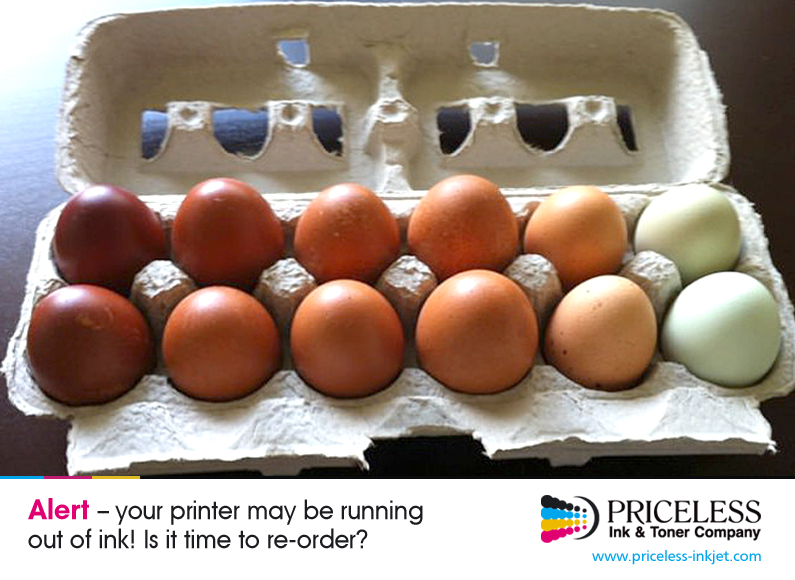
Your printer may be running out of ink! Is it time to re-order?
 |
Tuesday, June 25, 2013
Monday, June 24, 2013
Epson reveals secrets behind development of Micro Piezo technology

Recalling the conditions which led to the development of its Micro Piezo technology in the 1980s, Epson explains that most of its printers in the 1980s were serial impact dot matrix (SIDM). However, the market for these devices declined as the use of personal computers and office laser printers increased, and so the company began to research inkjet and other printing technologies.
Epson states that as its early inkjet printers struggled to make an impact on the market, it began researching a different type of printhead, under the guidance of Minoru Usui, who is the current Global President of the company.
The team recognized that the main issue facing them was the piezo element that was included on the glass printheads used in the early Epson inkjet printers, as they were unable to generate enough power to fire an ink droplet despite applying 100 volts in an attempt to cause the element to change shape, generate mechanical pressure and force ink out. It was for this reason that they decided to improve the piezo in some way.
The new piezo element was able to move the element up to 1 ?m using just 30 volts, compared to the 0.1 ?m achieved using 100 volts with the previous piezo element. This meant that sufficient power could be generated to fire ink straight and accurately, with the low voltage also meaning that the driving circuits could be smaller, allowing smaller printers to be manufactured.
After deciding on the structure of the new print head, the team needed to make it viable for volume production and commercialize an inkjet printer using the new printhead, and therefore formed an emergency project team consisting of staff from various departments within the company and headed by Usui.
The first printer containing the new technology, the Epson Stylus 800 monochrome inkjet printer, was then launched in 1993, with the world’s first 720 dpi printer, the Epson Stylus Color, launched in the following year. The product was a success, despite its high cost of $1,000, due to its high resolution and print quality.
Epson has recently announced the development of the next-generation printhead for future Epson inkjet printers, created by combining the company’s experience with the latest MEMS manufacturing technologies, with the company planning to utilise the new printhead in business inkjet printers for the office and in industrial printing systems to begin with.
Visit Priceless Ink & Toner for your Epson ink or toner supplies
Source: Epson reveals secrets behind development of Micro Piezo technology
Monday, June 17, 2013
Friday, June 14, 2013
Wide-format graphics -- major opportunity for print service providers

The study, titled "Wide Format Printing: A Critical Element in the Communications Mix", surveyed key decision-makers in organisations in the US that provide digitally printed wide-format graphics and those that purchase wide-format graphics across six industries – advertising media, entertainment/amusement, events, healthcare, hospitality, and retail – concluding that wide-format graphics represents a major opportunity for print service providers.
Among the study's findings were that wide-format graphics are a major component of communications spending, representing a sixth of survey respondents' overall marketing budgets; with 6.5 times as many buyer respondents expecting to increase their wide format spending in the next 12 months than those expecting to decrease it.
Providers of wide-format graphics also reported growth, with respondents reporting volume increases outnumbering those that didn't by 5:1. Previous wide-format market forecasts provided by InfoTrends support these results, with the company expecting the retail value of wide-format printing in North America to increase at a compound annual growth rate of 7.9%, reaching $23.6 billion by 2016.
InfoTrends' study includes the analysis of the key market and communications trends driving purchasing of wide-format digital graphics, insights into the key trends in applications, order volume, frequency and online ordering, evaluation of buyer demands and strategies to reach buyers, and assessment of providers' volume trends, technology use and substrate usage. It also examines products and services that wide-format providers are adding to better service customers and expand.
Check our web store for wide-format printer supplies
Source: Wide-format graphics are a “major opportunity” for print service providers
Tuesday, June 11, 2013
Subscribe to:
Posts (Atom)
About Priceless Ink & Toner Company

- Priceless Ink & Toner Company
- Since 1999 we have been a major supplier of original brand (OEM), compatible replacement and remanufactured Premium Quality inkjet cartridges, laser toner cartridges and other printer supplies. Our customers range in size and include the United States Government, small and large businesses, schools and individuals. Each of our customers is equally important to us and is treated with the same friendly professionalism. Visit us at Price Less Inkjet Cartridge Co.


 Posts
Posts

