Search Priceless Ink & Toner Blog

Monday, July 19, 2010

Multifunctional Machines Explained

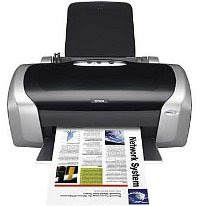
Multi Function Printer One of the fastest growing segments of the office equipment industry features a new kind of machine: the multifunctional. Sometimes referred to as an all-in-one, a multifunctional combines the functions of at least three different pieces of office equipment into one machine that s tailored to small offices, home offices and workgroups.
Is a multifunctional right for you? Where is the best place to buy one? What features should you look for when buying one? What can you expect to pay? The questions are endless. However, the Better Buys for Business team has created this special report to help you cut though the clutter and tell you what you need the know to make an informed buying decision.

Multifunctionals Defined
Multifunctionals are commonly described as machines that perform at least three of the following functions:
• Printing electronic documents from your computer,
• Copying paper documents,
• Faxing paper or electronic documents, or
• Scanning paper documents to your PC or to others as an e-mail.

The theory behind multifunctional units is simple pack all the document-processing functions you could want into a single machine to save space and money. In practice, though, there are limits to what a manufacturer can combine into one device while preserving the integrity of the functions and offering a competitive price.

Evaluating Each Function
It s important to know what kind of performance you ll get from each function provided by your machine. Some important factors to consider:
Printing:
• Image quality: Despite advances in ink jet technology, laser output remains crisper and clearer to most eyes, so if you only need black-and-white printing, a laser machine may be the better choice.
• Speed: The fastest multifunctional machines have laser engines most now print at 12-15 pages-per-minute. Inkjet models are often slower, even when running black-and-white jobs. Also, inkjet vendors may quote the maximum speed and maximum resolution in the same breath, but it’s unlikely that you will get both at the same time.
• Economics: The cost of supplies varies widely, but it tends to run higher for inkjet models than laser units. If you plan to generate high page volumes, these differences can mount up fast. Ink jet units can be less expensive than laser units to buy but are usually more expensive to run.
• PCL and PostScript: Not all multifunctionals offer the printer languages PCL and PostScript, but use a less powerful printing system called Windows GDI. You ll pay extra for machines with these features, which are needed for printing complex files, particularly those with lots of graphics and different fonts.

Copying
• Sheet-fed models: This kind of multifunctional is similar to a fax in that you place your originals in a document feeder when processing hard copies. The disadvantage, however, is that you can t copy a book or magazine unless you are willing to rip it apart.
• Platen models: These work like regular office copiers. They come with a platen, which is the glass surface that sits on the top of the machine. You can lay bound originals such as books and magazines on the platen and make copies without damaging the original. As a general rule, platen-based models are more expensive.
• Color models: If you need color copying, low-cost models can be especially slow several run at less than a page a minute. On the other hand, image quality can be surprisingly good.

Faxing
• Fax speed: Most fax-capable multifunctionals have modems that operate at a top speed of 14,400 bps. Higher-end multifunctional models include 33,600 bps modems. To take advantage of this faster speed, the party to whom you re sending (or from whom you re receiving) must match it. Otherwise, the speed will default to the slowest common level.
• Fax memory: This determines how many pages you can scan into the machine when sending a large document, as well as how many it can receive if it runs out of paper. Low-end models typically come with between 100-150 pages of memory, while more expensive machines have 250 pages or more.
• Color faxing: A handful of models can send and receive color faxes, but there are limitations. Both the transmitting and the receiving machines must be color-capable, and this is still fairly uncommon. Also, color faxing can take a long time because of the large size of color files. Finally, image quality can be disappointing because the compression method used causes some image data to be lost during transmission.

Scanning to PC
• Bundled software: Unlike printing, copying and faxing, which are hardware-dependent, scanning depends mostly on software. The most important part of scanning is what happens to the image after it has been scanned. Multifunctionals generally come bundled with a software suite that includes Optical Character Recognition (OCR) software for converting scanned documents into editable text, as well as image manipulation software for enhancing halftones and graphics.
• Resolution: Contrary to what you might think, having the ability to scan at high resolutions isnot all that important on a multifunctional. Often, scanning at high resolutions (common when scanning photographs) creates large electronic files that are cumbersome to handle. For most general purposes, 200 dpi, 300 dpi, or 400 dpi will do fine. Though many machines offer resolutions of 1,200 dpi and higher, most people rarely scan at these lofty levels.
• Ease of use: Scanning can be a tricky function to master, particularly if you ve never done it before. Some machines are easier to operate than others and it s worth trying out this function on demo models in stores.

Scan to e-mail
• This is one of the more helpful functions in the multifunctional category. It s something of a crossover technology, somewhere between scanning to a PC and faxing. Scan to e-mail allows you to take a hard-copy document, scan it into your multifunctional, and have the image sent as an e-mail attachment. The person receiving it has the option of either viewing it or printing it out. Look for multifunctionals that offer this function as a single button on the control panel.

Additional factors
When getting a feel for how you want each function to perform, keep these additional factors in mind:
Connectivity & compatibility - Most multifunctionals feature either a parallel or USB (Universal Serial Bus) port for connecting to your PC. A growing number can be connected to a computer network, either by plugging an external network server into the parallel port or by installing an Ethernet card into the machine itself. Note that an Ethernet link can add several hundred dollars to the purchase price of your unit. If you are working from a Mac, make sure the multifunctional you choose works with that platform not all do.

Ease of use - We can t overemphasize the importance of ease of use. With so many functions and features crammed into one machine, "user friendliness" is critical to determining whether you re getting your money s worth. Here are some things to consider: Does the software install rapidly and without creating conflicts with other programs? Are the various functions well integrated and easily accessible through the software? How easy is it to replace the supplies? Is the control panel uncluttered?
One of the biggest challenges for manufacturers is designing a control panel after
packing as many as four functions and numerous features into a single product.

The Case For & Against
Incorporating a multifunctional machine into your office can have both advantages and disadvantages.
The pros
• It s far cheaper to buy one machine that combines three or more functions than to buy three single-function machines.
• Keeping track of supplies and keeping the paper tray filled is far easier when dealing with only one machine; maintenance is easier, too.
• Multifunctional models don t take up much space most sit comfortably in the corner of a desk. It’s likely you wouldn t have enough room for a copier, printer, fax, and scanner if each was bought separately.
• Since there is just a single connection, cabling to your PC is easier. It can be quite confusing running multiple cables from your PC to a separate printer, scanner and, in some cases, fax machine. (The exception is if your office equipment is on a network.)

The cons
• When combining several functions into one machine, manufacturers are often forced to make certain tradeoffs, affecting what is made available to you. For instance, you may have to sacrifice fax speed to get a model that copies with a glass platen (where you place your original). Or, you may gain higher-resolution laser printing at the cost of engine speed, and so on. Keep an eye out for these tradeoffs.
• When a multifunctional machine suffers a malfunction, your document processing may grind to a halt. Instead of losing only a single function, you re likely to lose copying, printing, and the ability to print an incoming fax.
• If several people share the same machine, there can be contention problems. For example, when a print job is in process the other users are unable to make copies, or have a fax reception printed, until it is finished. High-end multifunctionals let you at least scan a copy job to memory, but most low-end models make you wait.
• Some multifunctional models suffer from an imbalance of features. For example, the print function may be quite strong, while the copy or fax function is weak.
• If you already own a single-function machine that suits your needs, it may not make sense to buy a multifunctional model just to get a additional functions. For example, if you already own a $400 desktop copier you might be better off buying a cheap consumer scanner for $69 and an inkjet printer for $129 rather than a multifunctional printer/copier/scanner for $399.

But convenience isn t the only factor to consider when shopping for a multifunctional. Multifunctionals are fairly complicated products, far more complex than single-function printers or fax machines. If you can get a good look at (or a demonstration of) a multifunctional model before you buy it, you re less likely to have an unpleasant surprise once it s sitting on your desktop. The best place to get a close look is an office supplies superstore, but don t expect to see the full product line for any given vendor. Retail stores keep only a few machines on the floor in order to keep down costs.

Original source: Better Buys - Free Special Reports

Visit our store for high quality inkjet or laser toner multifunctional machines

Monday, June 28, 2010

Brother Formulated Logo and Slogan for Environmental Activities

Brother compatible printer cartridges Roll out "Brother Earth" activity throughout the world
The Brother Group (president: Toshikazu Koike), which provides products worldwide from the group's bases located in forty-four countries and regions, has announced that it has created the "Brother Earth", logo and slogan to symbolize the group's environmental activities.
Brother Group will use the new "Brother Earth" identity to convey group-wide messages about its global environmental protection activities on a global basis.

"Brother Earth" logo and slogan
The Brother Group "Global Charter" states "The Brother Group helps society achieve sustainable development, by positively and continuously considering the environmental impact of all aspects of our business operations". The group includes environmental considerations at all stages of its business activities: development of superior eco-friendly products, reduction of CO2 emissions and collection and recycling of consumables.
The Brother Group will use "Brother Earth" to convey unified messages created based on its various environmental protection activities. These will include the environmental performance of Brother products and group policies and activities These will be communicated using simple statements online, and in sales literature.

"Brother Earth" Statement
"Brother Earth" describes our positive attitude and commitment to our communities and our planet. Our goal is to play our part to help build a society where sustainable development can be achieved by continuously considering the environmental impact of all aspects of our business operations.
Brother considers the safety and environmental impact of our products at every stage of their lifecycle; from design, development and manufacturing through to customer usage and disposal. Brother is committed to creating eco-friendly products primarily focused on reducing energy consumption and CO2 emission, promoting collection and recycling, complying with chemical regulations and contributing to biodiversity conservation.
At Brother we will always take responsibility, act respectfully and try to make a positive difference.

Message from "Brother Earth" - "Working with you for a better environment."
This message signifies a sense of responsibility to protect our global environment and also the desire to consider environmental issues and take action together with all stakeholders such as customers. Brother will convey this unified message in each language of the group's locations or centers worldwide.

Design concept
The logo is designed to look like a tree. Each leaf represents a principal to value each factor of the global environment, while the circle of leaves symbolizes biological coexistence. The colors of the leaves express a fusion of the Earth's green and Brother's corporate color, blue.

Established "brotherearth.com"
Brother established "brotherearth.com" www.brotherearth.com
The English website has already been launched. The German, French, Italian, Spanish, Japanese and Chinese websites will be launched sequentially.
"brotherearth.com" provides a variety of content: "Click for the Earth" see below, and an environmental quiz to engage website visitors with environmental issues. The site also introduces environmental activities being undertaken by Brother across the world.

"Click for the Earth"
"Click for the Earth" at www.brotherearth.com gives visitors to the site the opportunity to select a project they wish to support from a range of environmental projects being undertaken by Brother. The individual clicks on their chosen project to activate a donation from Brother for that specific project. Amount of donation for each project is allocated from the total fund set every year based on the proportion of number of clicks. Anyone throughout the world can activate a click to help contribute to the environmental activities within the "Brother Earth" program.(* Click limited to one per person on the same day)

Original Source: Brother Formulated Logo and Slogan for Environmental Activities

Visit our store for high quality Brother inkjet cartridges, laser toner cartridges & printer ribbons.

Monday, June 21, 2010

Caring for your Epson inkjet printer

Epson Printer Preventive Maintenance
Regular cleaning and maintenance will go a long way toward extending the life of your printer. In general, your printer will not require much maintenance, but you should make it a practice to clean the outside whenever you replace the ink cartridge. Simply wipe it with a damp cloth, but be careful that no moisture gets inside the printer and be sure to disconnect the power before starting. If necessary, use a soft brush or a computer vacuum cleaner to remove lint and dust from the sheet feeder and paper path.
Placing a cover over the printer when it is not in use is a good idea in order to keep dust and foreign particles away from the print heads. Some ink residue may build up inside the housing. This is common and may be removed with a damp cloth. Never use alcohol, solvents or other cleaners as they may damage the printer. Also, do not use any lubricant on the metal rod that the print cartridge moves on. It is normal for the cradle to make noise when it is in motion.

On and Off
This may seem like a basic thing, turning a printer on and off… How can that be a
problem? It isn’t unless you turn it on and off from a power strip. Never do that. When you turn a printer off, it parks the heads in a very specific place. Shutting the printer down from a power strip may by pass the normal shut down procedure and the heads may not be parked properly. This can lead to the head drying out and becoming clogged.
If you use your printer on a daily basis, just leave it on. This is not a waste of energy as the printer uses minimal power in stand-by mode. You should turn the printer off if it is not going to be used for a few days. However, your printer
does work best when used regularly so it is recommended that you turn the printer on and make a small number of prints at least every seven to ten days.

Print Head Cleaning
Clogged print heads is one of the most common problems with ink jet printers. Typically, you’ll see streaks of colors or missing lines where ink did not penetrate the page. Cleaning the inkjet cartridges themselves may also improve the performance of your printer by correcting missing lines or dots and eliminating streaks on the paper. On Epson printers you can clean the print head in two ways:
1. On the printer - There is a cleaning button on the front of the printer (check your manual for the exact placement). Hold it down for three seconds and the unit will start the cleaning cycle.
2. Software - There is a head-cleaning utility built into the software that came with your Epson printer. For PCs, you may access it through the printer driver. Right-click on the printer icon in the Windows taskbar (or get to it through the Start menu, Settings, and Printers) and select Head Cleaning. For Macs, open the file menu and choose Page Setup or Print. Click the Utility and Head-Cleaning buttons and follow the on-screen instructions.
Whichever technique you choose, the printer will make some noise while it works. This is normal. The green power light will also flash while it is working. Be sure not to turn the printer off while it is cleaning the heads.
Once completed, you should use the head-cleaning utility to check the nozzles. Click on Print nozzle check pattern, then Print. If the resulting printed page is streaky, try cleaning again. If you do this a few times and it is still streaky, try turning the printer off and letting it sit overnight. This allows the dried ink to soften. Try cleaning it again the following day. You may also want to replace the ink cartridge. Be careful not to leave the cartridges lying out for more than 30 minutes, or the heads will dry up and the cartridges will be unusable.

Aligning the Print Head
You will only need to align the head if your prints show vertical lines that don’t connect. To align the print heads do the following:
Open the Printer Utilities, select print Print Head Adjustment, and follow the instructions on-screen.
For more information about cleaning your printer or aligning the print head, refer to your printer's user manual.

Original Source: Care 4 Your Printer Part 1

Visit our store for high quality Epson inkjet cartridges & inkjet printer supplies

Thursday, June 17, 2010

Price increases – Samsung, Lexmark, Printronix

Samsung, Lexmark & Printronix Logo Prices for Samsung, Lexmark, and Printronix supplies are scheduled to increase on 7/1/2010. The increases will be of 4-6% for Lexmark Supplies, 3-10% for Samsung Supplies, and 3.5% for Printronix supplies and cover respectively inkjet cartridges, laser toner cartridges, and printer ribbons. Take advantage of pre-increase pricing by making sure that your orders are processed and shipped by June 30th.

Original Source: Price increases – Samsung, Lexmark, Printronix

Visit our store for high quality Samsung, Lexmark & Printronix printer supplies

Monday, June 14, 2010

HP Introduces the Future of Printing: Web Connected and Cloud Aware

Hewlett Packard / HP Printer Cartridges NEW YORK, June 7, 2010 – Hewlett Packard / HP today unveiled a new category of web-enabled printing solutions designed for the cloud that will, for the first time, allow people to:

* Print from any email device to any new ePrint-enabled printer from anywhere in the world through the new HP ePrint platform;
* Store documents or files in the cloud and print direct when needed;
* Transform their printers into publishing platforms from which they can customize print apps and schedule timed delivery of content – such as news from msnbc.com and Yahoo! and creative after-school activities from Disney – directly to their home or business printers;
* Manage and customize their full printing experience through the new HP ePrintCenter to enjoy relevant, fun and interesting content that is formatted for efficient printing.

Watch the conference below:

Watch live streaming video from hpkickoff at livestream.com


Original Source: HP Introduces the Future of Printing: Web Connected and Cloud Aware

Visit our store for Hewlett Packard / HP inkjet cartridges and laser toner cartridges

Monday, June 07, 2010

Ricoh Ranked Among The Top In U.S. Copier Market

Ricoh Copier Cartridges West Caldwell, NJ (April 2010) – In the annual Gartner U.S. copier market report for 2009, Ricoh Americas Corporation has been ranked number one for the third consecutive year in the combined black and white and color copier segment, earning a 23.1 percent share of the total market for multi-function products (MFPs). Ricoh also finished first for the seventh straight year in the color copier market with a 26.7 percent stake. For the black and white copier category, it finished a close second with a 21.5 percent market share. These percentages are calculated using total market share, which includes dealer, direct and retail products (Printer, Copier and MFP Quarterly Statistics United States: Database, Cindy K. Masaki, Federico DeSilva - February 17, 2010).

“Ricoh Americas Corporation is proud of our continued leadership position in the black-and-white and color copier market in the U.S., driven by the strength of our dealer channel and our direct sales organizations, Ricoh Business Solutions and IKON Office Solutions,” said Shun Sato, Senior Vice President, Marketing, Ricoh Americas Corporation.

Ricoh offers a full range of digital imaging products suited for any workgroup environment from SMB to Enterprise, including color and black and white multifunctional copiers, printers, facsimile systems, scanners, digital duplicators, wide format copiers and digital cameras.

Original Source: Ricoh Ranked Among The Top In U.S. Copier Market

Visit our store for high quality Ricoh copier cartridges

Monday, May 10, 2010

Canon USA Ranked Number-One In Total Copier Market Share In 2009

Canon Copier Cartridges Canon U.S.A., Inc., a leader in advanced digital imaging and office solutions, announced that the Company has earned the top position for total U.S. copier/MFP market share for 2009 with 18.4 percent of the market, according to Gartner's Printer, Copier and MFP Quarterly Statistics Database for fourth quarter 2009.

"Canon's commitment to developing advanced digital imaging solutions has made the Company the preferred choice of businesses seeking to improve productivity," said Junichi Yoshitake, senior vice president and general manager, Imaging Systems Group, Canon U.S.A. "Through innovative technologies that enhance end-user performance and extraordinary customer service, Canon continues to move business forward and help end-users navigate the changing economic landscape."

Gartner's research focused on market share for color and black-and-white copiers/MFPs of both digital and analog technology, including personal copiers (1-10 pages-per-minute (ppm)) and copiers in Segments 1-6, which range in speed from 11 to 91+ ppm.

About Canon U.S.A., Inc.
Canon U.S.A., Inc., is a leading provider of consumer, business-to-business, and industrial digital imaging solutions. Its parent company, Canon Inc. (NYSE:CAJ), a top patent holder of technology, ranked fourth overall in the U.S. in 2009†, with global revenues of US $35 billion, is listed as number four in the computer industry on Fortune Magazine's World's Most Admired Companies 2009 list, and is on the 2009 BusinessWeek list of "100 Best Global Brands." Canon U.S.A. is committed to the highest levels of customer satisfaction and loyalty, providing 100 percent U.S.-based consumer service and support for all of the products it distributes. At Canon, we care because caring is essential to living together in harmony. Founded upon a corporate philosophy of Kyosei – "all people, regardless of race, religion or culture, harmoniously living and working together into the future" – Canon U.S.A. supports a number of social, youth, educational and other programs, including environmental and recycling initiatives. Additional information about these programs can be found at www.usa.canon.com/kyosei. To keep apprised of the latest news from Canon U.S.A., sign up for the Company's RSS news feed by visiting www.usa.canon.com/rss.

Original Source: CANON U.S.A. RANKED NUMBER-ONE IN TOTAL COPIER MARKET SHARE IN 2009

Visit our store for high quality Canon copier cartridges

Monday, May 03, 2010

HP profit slumps 13% on weak PC and ink sales

Hewlett Packard / HP Printer Cartridges San Francisco: Hewlett-Packard Co.’s quarterly profit dropped 13%, and sales ticked up just 1%, as even the technology company’s cash-cow printer ink business was hobbled by the recession.

The world’s top seller of personal computers also cut its 2009 guidance, but it was still in line with Wall Street’s expectations.

HP shares fell $2.03, or 6%, to $32.05 in extended trading, after closing down 26 cents during the regular trading session, before the Palo Alto-based company reported its earnings.

Crippled technology spending undermined all but one of HP’s major business lines, including PCs and servers. Only HP’s services division, which bulked up with its $13.9 billion acquisition of Electronic Data Systems, saw an increase.

Services also have been strong for rival IBM Corp., since corporations are trying to save money by outsourcing some of their technology chores.

HP earned $1.85 billion, or 75 cents per share, in the three months that ended 31 January. That compares with profit of $2.13 billion, or 80 cents per share, a year ago.

Without one-time costs, HP earned 93 cents per share, matching analyst estimates.

HP’s sales of $28.8 billion fell short of Wall Street’s forecast by more than $3 billion, however. Analysts were expecting $31.9 billion in revenue. Without currency fluctuations, HP said its quarterly sales increased 4% over last year instead of the 1% rise with the currency fluctuations.

“Investors could be shaken by this report, and it could cause some of them to move to the sidelines,” said Calyon Securities analyst Shebly Seyrafi. HP still gets “a relatively high percentage of its business from hardware, and that hardware side is going to be very vulnerable in this economic environment.”

The pain of tighter budgets was felt across nearly all of HP’s businesses.

Sales in the personal computer division fell 19% to $8.8 billion.

The printer and ink division, which contributes more than 40 percent of HP’s operating profit, was also wounded, with sales falling 19 percent to $6 billion. That includes a 7 percent decline in supplies, a typically strong area that includes things like ink cartridges, which are among HP’s biggest moneymakers.

But HP’s services division more than doubled to $8.7 billion, mostly due to the addition of EDS. HP is cutting 24,600 jobs as part of that deal, and has already cut more than 9,000 of those positions.

Cathie Lesjak, HP’s chief financial officer, said the decline in ink sales was a “reflection of a very tough economy _ in a tough economy folks don’t print as much,” a trend HP expects to continue and has baked into its 2009 guidance. HP is banking on the services business to pick up some of the slack.

“In the past, (the printer and ink) division has probably been the crown jewel of Hewlett-Packard, but today we’ve got another one, and that’s services,” she said in an interview. “It was the services resilience, and the profits that services generated in (the first quarter), that more than offset the declines in the hardware business.”

HP predicted that it would earn between $3.76 and $3.88 per share in 2009, excluding one-time costs. Analysts polled by Thomson Reuters were expecting profit of $3.77 per share on that basis.

The financial crisis has mauled PC sales for all the big manufacturers, but HP managed to eke out some gains last year. HP owned nearly a fifth of the worldwide PC market in 2008, having expanded its lead over rivals Dell Inc., Acer Inc., Lenovo Group Ltd. and Toshiba Corp., according to the latest data from research firm IDC.

Jayson Noland, an analyst with Robert W. Baird & Co., said HP is “doing an admirable job of cost cutting in a tough environment.”

“You have to give them credit for the bottom line, which has held up really well given the top-line numbers,” he said.

HP revealed during a conference call with analysts that it is cutting employees’ pay in a moneysaving move.

Chief Executive Mark Hurd’s base pay will fall by 20%, other executives will see their pay decline by as much as 15%, while pay for other employees will decline by as much as 5%.

The company says employees will get the money back in the form of bonuses if HP performs well.

Original Source: HP profit slumps 13% on weak PC and ink sales

Visit our store for Hewlett Packard / HP inkjet printer and laser printer supplies

Monday, April 26, 2010

HP Drawn Into German Kickbacks Investigation

Hewlett Packard / HP Printer Cartridges Three one-time employees of HP were arrested by German officials, investigating alleged kickbacks paid in connection with an HP contract for Russian law enforcement equipment, according to The New York Times.

Hewlett-Packard is cooperating with German and Russian authorities after news that three people who worked in a Germany office of the California-based PC manufacturer were arrested by German authorities.

The arrests came as part of an investigation into “alleged kickbacks paid in connection with a contract to supply equipment to Russian law enforcement,” The New York Times reported April 15.

The kickbacks are said to have occurred from 2000 to possibly 2007 and totaled approximately $10.9 million.

The Times quoted a spokesperson for the Dresden state’s attorney’s office who said that two of the people no longer worked for HP, but he was unclear about the third. An HP spokesperson in Switzerland declined to offer clarification, according to the Times.

The investigation included nine individuals in all. In addition to the three affliated with HP, three Russians and three Germans, said to have worked as middlemen for smaller firms, were also involved. Though the Times reports that they have not been arrested.

“This is an investigation of alleged conduct that occurred almost seven years ago, largely by employees no longer with HP," a spokesperson for HP told eWEEK. "We are cooperating fully with the German and Russian authorities and will continue to conduct our own internal investigation.”

While HP is the leading PC manufacturer both worldwide and in the United States, it began 2010 with growth below the worldwide average, according to April 14 reports from Gartner and IDC. While HP improved worldwide sales by 19.9 percent between the first quarters of 2009 and 2010, Acer grew its shipments by 54.3 percent, Lenovo saw 59.2 percent growth and Asus posted an impressive 114.8 percent growth.

Original Source: HP Drawn Into German Kickbacks Investigation

Visit our store for Hewlett Packard / HP inkjet printer and laser printer supplies

Monday, April 19, 2010

Lexmark Laser Technology Presentation

Learn how Lexmark laser printer technology works in this video from n-tara interactive. The complexities of laser printing are simplified using highly informative 3D animation.


Found on YouTube

Visit our store for Lexmark laser toner cartridges and other toner supplies.

Tuesday, April 06, 2010

Inkjet cartridge trick that can Save A Lot of Money

Question: When my printer shows the ink cartridge as empty is it really empty?

Answer: Many manufacturers have installed small chips onto the cartridges to perform certain checks of the printer system. One of these functions is to monitor the remaining ink supply so they can sell you more ink and market their product directly to you. Many times the "low ink warning system" is not a very accurate program.

Watch this video and maybe you can improve the accuracy of the ink monitoring system.


Original video source: A Handy Trick to Get More from Your Inkjet Cartridges

Remember the money you save is YOUR MONEY.

You can as well save a lot of money by buying compatible or remanufactured inkjet cartridges and toner from Priceless Ink & Toner

Monday, March 29, 2010

Lexmark eyed as a takeover candidate - Company won't comment on speculation

Lexmark Printer Cartridges Bank of America has identified Lexington-based Lexmark International as a possible candidate for a leveraged buyout.

The printer maker was one of a handful of companies listed by the bank's researchers as possible targets for these types of deals, which involve taking on debt to help finance the acquisition.

It's another in a long series of rumors during the past several years of possible outside interest in buying Lexmark, which develops and manufactures laser and inkjet printers.

Lexmark spokesman Jerry Grasso said the company declines to comment on rumors and speculation, or on its stock.

The company's stock price has risen dramatically in recent months. In the middle of last year, the stock was hovering around $15 a share. On Tuesday, it closed at $36.82, up 5.53 percent from Monday.

The fact that the stock is trading at its 52-week high makes it attractive.

"These types of deals occur at market tops", said Tom Carpenter, vice president and senior equity analyst at Hilliard Lyons in Louisville.

Carpenter also noted Lexmark has significantly improved its printers during the past couple of years and focused on segments in which people print more.
Lexmark also is attractive, he said, because of the company's cash rese
rves, which are about $15 a share. A drawback, though, is the company's roughly $8 a share of long-term debt.

A great deal of the company's cash is overseas, and that has prevented Lexmark from bringing it to the United States to finance continued repurchases of its stock, because the company would face certain taxes to bring it back. Carpenter said he doubts the overseas money would be a barrier to the deal because "there are people smart enough to find a way around that."

Carpenter said the biggest barrier might be deciding on a price. He said a 25 percent to 30 percent premium on the stock price "would be a home run for shareholders."

He said any number of private equity firms might be interested in Lexmark. Private equity firms use the money invested by their clients to acquire stakes in other companies.

Before the recession, the number of buyouts of publicly traded companies by private equity firms had risen substantially. Generally, a private equity group operates the company for a time, seeks to make it more efficient and then sells the company or parts of it for a profit. The recession slowed down that movement, but Bank of America analysts noted in their report that the deals might return and be smaller in scope, perhaps less than $10 billion.

Lexmark's market capitalization is close to $3 billion.

Private equity firms also tend to eye companies with recurring revenue, which Lexmark boasts, Carpenter said. The company has recently announced some major deals to manage printing for large firms, including regional bank BB&T.

"The managed print services wins are very important because they are predictable recurring revenue streams, and investors and private equity firms love recurring revenue," Carpenter said.

The company already has a history with private equity. It was initially owned by a private equity firm — Clayton, Dubilier & Rice Inc. — when it was spun off from IBM in 1991. The company went public in 1995, and the buyout firm sold its last shares in 1998.

Original Source: Lexmark eyed as a takeover candidate

Visit our store for Lexmark inkjet cartridges and laser toner cartridges

Monday, March 15, 2010

HP sues ink cartridge suppliers from Taiwan and Hong Kong

Hewlett Packard / HP Printer Cartridges Hewlett-Packard has taken third-party inkjet cartridge manufacturer MicroJet from Taiwan and a few other companies from Hong Kong to the U.S. District Court, Northern District of California (San Francisco), alleging six of their product patents were infringed.

In the 28-page complaint filed on 5 March, HP claimed that these companies's HP-compatible inkjet cartridges infringed six of HP’s patents: US patent Nos. 6,234,598; 6,409,053; 6,398,347; 6,481,817; and 6,402,279. These patents apply mainly to the HP 27/28 and HP 56/57 cartridges and other similar models.

Hewlett-Packard says Taiwan's MicroJet manufactured and sold the allegedly infringing ink cartridges not only under its own brand name, but also sold generic and/or made-to-order products and printheads to other companies, including Mipo and PTC. It claims Mipo and PTC then resold the accused products to the markets, including the US. Sinotime is accused of selling the allegedly infringing products on Amazon under the name "All Colors" and advertising the products as "remanufactured" cartridges.

Facing the infringement accusation, MicroJet responded in a press release, "All products manufactured by us are created with our own research and development efforts." MicroJet says they currently own 251 patents with another 213 patents under examination. In a telephone interview, Alex Chuang, president of PTC from Hong Kong, pointed out, "PTC was established less than two years ago. PTC stands for Professional Toner Cartridges. We mainly carry laser cartridges, OPC drums and toner. We have never sold a single HP compatible inkjet cartridge to the US market. We take no interest whatsoever in the production of compatible inkjet cartridges. As for the cartridges we resell, they are remanufactured products" Mipo defended by saying, "We have no business relations with Microjet. It has never happened that Mipo purchased any of the allegedly infringing products from Microjet."

HP also claimed that Mipo and MicroJet converted more than 300,000 "genuine HP printheads from HP facilities in Asia" HP reported that in 2006 and early March 2007 certain component parts appeared to have been unlawfully taken from its facilities in Asia. And it is reported that trucks carrying HP parts were hijacked while en route from the Singapore factory to a Malaysian assembly plant in March and September 2007. HP says that each genuine HP printhead is marked with a unique product identifier FID. And such an identifier was found in the "Mipo"cartridges acquired by HP from Amazon.

Mipo reponded to this in a statement, "HP's accusation is groundless. Mipo is a professional remanufacturer of printer cartridges. We never converted any cartridges." Some media have given misleading information about the leaking accidents taking place in HP Asian facilities. MicroJet clarified in its statement that it has had absolutely no involvement in any thefts of HP components. Mipo also expressed its resentment against the misleading information given in the media.

The companies being sued by HP include MicroJet from Taiwan, Mipo and its subsidiaries, PTC Holdings Ltd from Hong Kong and Sinotime Technologies Inc. located in Miami. HP seeks a court order blocking infringement plus triple the damages caused by the infringement as well as other monetary awards. MicroJet stated that the compensation would not be determined until the court starts its hearing of the case and comes to a decision. According to their current estimation, this incident will not influence the company’s operations and finances.

MicroJet, Mipo and PTC are now seeking legal advice. And will closely follow the development of the case. Recycling Times will also give timely coverage of this case.

Original Source: HP sues ink cartridge suppliers from Taiwan and Hong Kong

Visit our store for Hewlett Packard / HP inkjet cartridges and laser toner cartridges

Monday, March 08, 2010

Nukote Sues Clover for Interference, Unfair Business Practices

NuKote vs. Colover Logos Nukote has filed a $100-million lawsuit against Clover Technologies alleging its unfair business practices cost it its Office Depot contracts, thereby forcing it to file for bankruptcy. The complaint sets forth a host of alleged unsavory activity from monopolistic scheming to raiding of employees by Clover. And although Nukote has emerged from bankruptcy, it remains threatened by Clover. In its complaint, Nukote states, “Even today, as Nukote works diligently to regain its place in the market, Clover continues to grind down Nukote under the heel of its market power.”

Clover responded with equally strong language in defense of its actions. In its press release, Clover stated “it is abundantly clear that once again, Nukote is abusing the court system in a transparent and desperate effort to raise capital for a business that is on the verge of collapse.”

In September, Nukote sued Office Depot for breach of contract. That lawsuit also alleges illegal and unethical behavior by Office Depot that includes SEC reporting violations and underpayment of sums due to Nukote so draconian that it “brought the Debtor (Nukote) to its knees.”

In that case, the complaint lays the blame for Nukote’s June 2009 Chapter-11 filing on Office Depot. The complaint also alleges that Office Depot’s activities were partially motivated by its own financial problems.

In May, Nukote and Office Depot ended their 20-year business relationship, in which Nukote supplied Office Depot with as much as $85 million in product annually.Those contracts were subsequently awarded to Clover Technologies.

In June, the decimated Nukote filed for bankruptcy protection. In September, Nukote sued Office Depot, and chose not to sue Clover at that time. The action was filed as an adversary proceeding within the bankruptcy, therefore providing Nukote’s creditors with the promise of a share of any winnings. The plan of reorganization that was approved late last year further provides for such an outcome.
The case against Clover, however, was filed shortly after Nukote emerged from its bankruptcy. This action therefore will be resolved in the sole favor of Nukote if it can prove its allegations. And the case was filed shortly after Nukote incorporated Nukote Illinois, which allowed Nukote to sue Clover in state court since both companies have residence in Illinois.

Clover responded to this maneuver as follows: “the complaint is as empty as the shell corporation Nukote incorporated just this past week to initiate the suit.”

About the Author: Tricia Judge is the executive director of the International Imaging Technology Council. She may be reached at exec@i-itc.org.

Original Source: Nukote Sues Clover for Interference, Unfair Business Practices

Visit our store for high quality compatible inkjet cartridges, laser toner cartridges & printer ribbons.

Monday, March 01, 2010

Canon USA honored as one of the best channel vendors

Canon Printer Cartridges For the second consecutive year, Canon U.S.A., Inc., a leader in digital imaging and advanced office solutions, has been selected by Business Solutions Magazine (BSM) as one of the best channel vendors for the upcoming year. Working with Penn State University, BSM conducted a Web-based survey of their Value-Added-Reseller (VAR) subscribers to rate and rank their vendor partners in the following categories: Service/Support, Channel Friendly, Channel Program, Product Features, Product Reliability, Product Innovation, and Adequate VAR Margins.

"To be honored by BSM as one of the Best Channel Vendors for the second year in a row is a testament to Canon's commitment and dedication of meeting the diversified needs of our channel partners by providing them with the best in office solutions, services and support," said Jim Rosetta, vice president and general manager, Imaging Systems Group, Canon U.S.A., Inc. "We are very proud to receive this prestigious accolade and we look forward to continuing our tradition in excellence into 2010."

During the nearly month-long survey, more than 12,000 votes were cast, resulting in one of the largest and most detailed surveys of its kind. Scores were calculated by BSM editorial staff and Penn State University, with overall vendor scores determined by adding the cumulative scores of the seven categories and dividing that score by the number of VAR subscribers who rated them. Vendors were broken down into a variety of technology categories for the survey and those who received too few votes were excluded from consideration. VAR subscribers rated its vendor partners in a scale of 0 (worst) to 5 (best) in seven different categories. This year's results show Canon received higher ratings in every category compared to last year.

Canon works closely with the value-added-reseller channel to provide a wide variety of its imageFORMULA document scanners, network scanners, and check transports, as well as imagePROGRAF large format printers and imageCLASS multifunctional printers.

Original Source: CANON U.S.A. HONORED AS ONE OF THE BEST CHANNEL VENDORS BY BUSINESS SOLUTIONS MAGAZINE

Visit our store for high quality Canon inkjet cartridges and laser toner cartridges

Monday, February 15, 2010

Konica Minolta Wins IT Innovation Award at Everything Channel's Print & Imaging Summit

Konica Minolta Printer Cartridges Konica Minolta Business Solutions U.S.A., Inc., a leading provider of advanced imaging and networking technologies for the desktop to the print shop, have announced that it has won a 2009 Print & Imaging IT Innovation Award in the Hardware category as awarded by Everything Channel at the Print & Imaging Summit in Los Angeles on December 6-8, 2009.

The Print & Imaging Summit offers a uniquely interactive forum that brings technology vendors, industry analysts as well as office and production print executives together to help them take a critical look into the technology expertise required to remain relevant and valuable in the printing and imaging market.

"Konica Minolta is honored to be selected as the top hardware solution manufacturer by industry executives and decision makers attending this one-of-a-kind industry event," said Kevin Kern, Senior Vice President, marketing, Konica Minolta Business Solutions U.S.A., Inc. "This recognition further supports our company vision to ensure our customers can count on Konica Minolta to meet all their document and workflow management needs. By offering innovative and leading industry products and solutions, we look to continue being a leader in the industry in 2010 and beyond."

The Print & Imaging IT Innovation Awards are the only industry awards voted on solely by the attending print executives. Winners were selected by attendees from among exhibiting manufacturers based on products and solution offerings showcased at the event.

For more information on the Print & Imaging Summit, visit: http://www.everythingchannelevents.com/pim09.

Original Source: Konica Minolta Wins IT Innovation Award at Everything Channel's Print & Imaging Summit

Visit our store for high quality Konica Minolta inkjet cartridges and laser toner cartridges

Monday, February 01, 2010

Canon Releases FY 2009 Results; Net Profits Down More Than 50 Percent

Canon Printer CartridgesCanon released its FY 2009 results Wednesday, showing a net profit down 57 percent over the previous year. However the company reported moderate recoveries in the second half of 2009, leading the company to anticipate a more positive 2010.

Partly to blame were sluggish laser printer sales, as well as decreased demand for multifunction devices, together with a dismal 2009 global economy and the appreciation of the yen. Net sales for the year totaled 3,209.2 billion yen (U.S. $34.883 million), a year-on-year decline of 21.6 percent, mainly due to the effects of reduced sales volumes of office products throughout the year, said the report released by Canon.

Looking at specific product segments, the report stated that demand for office equipment decreased, sales of network digital multifunction devices remained low, and demand for laser printers decreased substantially compared with 2008. However inkjet printers were said to display a healthy growth in sales in Asia and the Americas in spite of an overall sluggish market. The Chinese market in particular is expected to be increasingly important to Canon.

Lyra analysts, speaking at the 2010 symposium, said Canon remains, along with HP, the healthiest of the OEMs.

Canon's projections for 2010 are optimistic, with a projected year-on-year increase of 7.5 percent in net sales, 41 percent increase in laser shipments and 5 percent in supplies.

Original Source: Canon Releases FY 2009 Results; Net Profits Down More Than 50 Percent

Visit our store for high quality Canon inkjet cartridges and laser toner cartridges

Monday, January 25, 2010

Epson Stylus Photo R2880 Named 2009 “Printer of the Year” by Mac|Life

Epson Stylus Photo R2880 Inkjet PrinterEpson America announced on January 5th that the Epson Stylus® Photo R2880 was named “Printer of the Year” in the December “Gear of the Year 2009” issue of Mac|Life. The R2880 was chosen for its outstanding black-and-white print output and fine-art reproduction, as well as superior media flexibility.

“The Epson R2880 stands out among all other printers for its breathtaking tonal range in color prints and grayscale reproduction of black-and-white prints,” said Jon Phillips, editorial director, Mac|Life magazine. “In addition, this printer supports a huge array of paper sizes and types, including roll support and fine art papers, making it an ideal printer choice for artists.”

The R2880 is a professional printer designed for photographers who seek the highest-quality sellable photographic and fine art prints. Using the same core technology as the Epson Stylus Pro printer line, the 13-inch R2880 features Epson UltraChrome K3® with Vivid Magenta ink technology and a high-performance print head for professional photographic output. The printer also features Radiance® Technology, an innovation that smoothes color transitions and optimizes highlight and shadow detail.

“It is an honor for the Epson Stylus Photo R2880 to be named ‘Printer of the Year’ by Mac|Life,” said Richard Day, senior product manager, Epson America. “The R2880 has been a leader in its class ever since it launched last year, and this award underscores Epson’s leadership within the 13-inch photographic printer market.”
To see the entire “Gear of the Year 2009” article, please visit MacLife.com.

Original Source: Epson Stylus Photo R2880 Named 2009 “Printer of the Year” by Mac|Life

Visit our store for high quality Epson inkjet cartridges and laser toner cartridges

Monday, January 04, 2010

Brother won four "iF Product Design Award 2010"

Brother Printer Cartridges Brother Industries, Ltd. (President, Toshikazu Koike, hereinafter Brother) has won a German international award "iF Product Design Award 2010" (hereinafter iF design award) on its four products including "Brother Document Viewer" launched in 2009 in Japan and other products such as A4 paper size color multi-function printer.


iF Product Design Award winning products

·A4 paper size Color Multi-Function Center MFC-9320CW
Brother MFC-9320CW Color Multi-Function Center A printer, copy and scanner are condensed compactly to satisfy users' various needs especially for SOHO users.


·A4 paper size Color Printer HL-3070CW
Brother HL-3070CW Color Printer A new downsized engine allowed producing a compact size color printer which is mainly used at business scene. This color printer satisfies users' various needs including high quality color print.
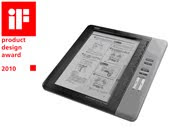


·Electric Paper Brother Document Viewer SV-100B
Brother SV-100B Document ViewerA 15.5 mm thickness Electric Paper displays data on a 9.7 inch wide display, which is excelled in not only its portability but also thrifty power consumption.


Besides above three products, another product which has not been released yet received the iF design award

The iF product design award is hosted and judged by the iF-International Forum Design Hannover in Germany. This is one of the most authorized international design competitions which was started from 1953 to select the best product design from the entries across the world.

Criteria for judgment include not only an external appearance and forming but also functionality and environmentally friendliness are counted. The iF design award is extremely prestigious across the world due to these criteria for examination.

For the 57th iF Product Design Award 2010, there are 2486 entries from 39 countries. Since 2007, Brother received four iF product awards for the third consecutive year. As a result, it received twenty awards in total.

We assume that the iF design award is given to the sustainable product designs which are not affected by trends and attract consumers throughout the ages. Therefore, we are extremely honored to receive these awards, and Brother will continuously make efforts to purse improvements in design quality to participate such worldwide competitions.

Original Source: Brother won four "iF Product Design Award 2010"

Visit our store for high quality Brother inkjet cartridges and laser toner cartridges

Monday, December 14, 2009

Reducing your printer's cost per page

"Cartridge yield: 2,000 pages at 5% page coverage"....

Have you ever wondered how much 5% page coverage exactly is? Take a look at the following examples to get the general idea how does a 5% page coverage look like.

5% page coverage - 5% page coverage

10% page coverage - 10% page coverage

15% page coverage - 15% page coverage

18% page coverage - 18% page coverage

30% page coverage - 30% page coverage

45% page coverage - 45% page coverage

It seems 2,000 pages at 5% page coverage is not as much as it seems.

One way of reducing the cost per page is using compatible and remanufactured inkjet cartridges, laser toner cartridges and printer ribbons - it's cheaper and greener.

Another way of reducing your printer's cost per page is using a printing optimisation sofware. One of the leading print management and toner optimization solutions provider is Preton Ltd..

It's up to you how to minimize your printing cost!

Visit our store for hight quality inkjet cartridges, laser toner cartridges and printer ribbons

Monday, December 07, 2009

Xerox Scientists Develop Chemical Armor to Extend the Lifespan of Printer Components

Xerox Scientists Tasked with developing ways to extend the lifespan of printer components - and reduce their impact on the environment - a group of scientists at Xerox Corporation (NYSE:XRX) have developed a new chemical armor that protects photoreceptors, the light-sensitive elements in xerographic machines. Protected from normal wear and tear, a photoreceptor coated with the new "armor" can survive more than one million revolutions - nearly doubling its usable life.
"The long life of the photoreceptor reduces the need for replacement cartridges, enabling a 33 percent reduction in waste," said Yonn Rasmussen, vice president of the Xerographic Component Systems Group. "Customers experience less down time, and therefore reduced interruptions to work flow, improved productivity, and fewer service calls."

Photoreceptors are multi-layer thin film devices that convert light into electrostatic images. They must be replaced periodically due to surface wear and scratches that can affect image quality.

"This novel long life overcoat is an example of cutting-edge chemistry at work that required both materials and process innovation," said Giuseppa DiPaola-Baranyi, laboratory manager for Materials Integration at the Xerox Research Centre of Canada. "The ultimate goal is to develop photoreceptors that will last the entire life of the machine. For example, when you scratch your hand and you heal, that's a biological process. We are looking at how to mimic nature and leverage our expertise in smart materials design and nanotechnology to create molecules for next-generation photoreceptors with self-healing capabilities."

The new photoreceptor works in the standard machine design with no additional hardware changes or added costs to the customer. This invention has broad applicability across Xerox's product portfolio and is being first implemented in the Xerox 4112™/4127™ light production monochrome printers.

A global, multi-disciplinary team from the Xerox Research Centre of Canada, the Xerographic Component Systems Group engineering team in Webster, N.Y. and the manufacturing team in Venray, The Netherlands, advanced the project from the pilot plant stage in Canada to production in Venray in less than one year, a record time for commercializing a new technology such as this.

Original Source: Inside Innovation at Xerox: Scientists Develop Chemical Armor to Extend the Lifespan of Printer Components

Visit our store for replacement inkjet cartridges and laser toner supplies

Monday, November 09, 2009

Network Copier Security: Are you doing enough to protect information assets?

Secure Printing Remember Harold Nicholson, the former CIA agent who was convicted of spying for the Russians? Arresting in 1996, he is now serving a 23-year prison sentence for passing sensitive photos and documents to Russian handlers. In exchange for that information, Nicholson was paid $300,000 in cash. This story resurfaced as Nicholson allegedly enlisted his son to collect an additional $35,000.

A more recent lapse in security occurred when a New Zealand man discovered confidential files on an MP3 player he purchased in Oklahoma. The device contained home addresses, Social Security numbers and cell phone numbers of U.S. soldiers, along with military mission briefs and lists of equipment deployed to Afghanistan and Iraq.

These breaches illustrate that people intent on seeking personal financial gain are an ongoing threat, as are those that mishandle mobile technology–MP3 players, laptop computers, USB thumb drives, or any other digital media.

With that reality comes an imperative to prevent sensitive information from falling into the wrong hands. This has never been more urgent as layoffs reach historic highs. Indeed, with every pink slip comes the very real threat of information theft. Case in point: A Symantec and Poneman Institute survey found that more than half of workers who lost or left a job in 2008 said that they stole confidential company data. What’s more surprising, this same survey found that 82 percent of IT departments said no audits of paper or electronic documents were done before the employees left their jobs.

Certainly, IT professionals protect their network infrastructure by installing firewalls, reliable anti-virus software and monitoring the network for security holes. However, there’s a vulnerability sitting in full view–the network copier/MFP (multifunctional peripheral).

An MFP integrates copy, scan, fax and print functions into a single platform. However, if not properly protected, these sophisticated network devices pose a potential threat to information security. To address that threat, please read on. We’ve highlighted products that are engineered to help safeguard information assets and increase accountability across an entire enterprise.

Canon U.S.A., Inc.
Canon imageWARE Secure Audit Manager software collect important job attributes, including a physical copy of all processed jobs, acting as an effective deterrent to information leaks. When documents are processed by Canon-branded MEAP-enabled imageRUNNER devices, the software tracks everything that that user does, ultimately capturing and archiving each image in a backend Oracle database. The Keyword Notification feature automatically notifies the administrator via e-mail whenever a pre-set keyword is detected in a scan job. This software provides companies with an effective and efficient tool to monitor the electronic transmissions of hardcopy documents.

eCopy, Inc.
eCopy ShareScan software operates across different MFP and scanner platforms, so scan operations can be performed on the device of choice, for example, a Canon, Konica Minolta, Ricoh or Xerox device, using one intuitive interface. An open architecture is important within mixed fleets, where each device uses its own proprietary functionality. IT administration is streamlined when scan activity occurs at eCopy ShareScan. Moreover, eCopy’s security features can be deployed across all scanning devices within the enterprise-dynamic Active Directory and application authentication, document encryption, job logging, and secure deletion of temporary image files. Regardless of which device a user walks up to, the touch screen, with an easy to navigate graphical user interface (GUI) is the same. That consistent user experience is a key benefit, as is its ability to customize that experience to a customer’s specific application needs, whether to improve business processes or enhance security.

Konica Minolta Business Solutions U.S.A.
Konica Minolta realized early on the importance of security issues in the digital age, where the risk of seriously damaging security breaches rises dramatically alongside rapidly growing worldwide communication possibilities. In response to these threats, Konica Minolta has taken a leading role in developing and implementing security-based information technology in its MFPs. In contrast to other MFPs in the market which are certified based on a security option or a specific function, they engineer and provide ISO 15408 Evaluation Assurance Level (EAL) 3 Security Certification for each product as a total system. Konica Minolta has announced a partnership with ActivIdentity that has produced a Personal Identification Verification (PIV)-Compliant Card System that increases security and document control for customers using Konica Minolta MFPs and printers. Initially available to U.S. Department of Defense customers, the PIV-Compliant Card System can be used in conjunction with the Common Access Card (CAC) as well as the next generation CAC, a PIV-Compliant Identification Card.

Muratec America, Inc.
Muratec’s OfficeBridge™ software solution supports Inbound Fax Routing, enabling users to receive faxes directly to e-mail. With the increased emphasis on security, IT doesn’t want sensitive fax messages printing at the device for all to see; they want to route messages directly to an e-mail inbox. Inbound Fax Archival also serves as a permanent audit trail, as a copy of each received fax is stored to a network folder. The administrator has the ability to retrieve a given document, perhaps in the event of a security breach or litigation. Outbound Fax Archival also captures an image of each document sent outside the organization. Other embedded Muratec security technologies include user authentication, which validates network user names and passwords (through Microsoft Active Directory), password-protected PDF, PIN masking, secure fax Reception and secure print.

Ricoh America Corporation
The GlobalScan Family of products addresses security requirement by using the employee’s existing network log-in credentials (used at their workstations) for authentication at the MFP control panel. Once validated, the user can scan to e-mail, folder, fax and/or DMS. Card Authentication (optional) supports single sign-on and the ability to control access to restricted features. Using HTTPS, e-mail communication from the GlobalScan Server-enabled MFP is secured using 128-bit encryption technology. By leveraging the core security features of compatible MFPs, and GlobalScan Family products, Ricoh provides assurance that information assets introduced into their electronic workflow were fully protected from unauthorized access.

Sharp Imaging and Information Company of America
Sharp MFP log file monitors all device activity for auditing purposes, either on the device itself–where the first page of each scan is retained, or via third-party software, where every page is stored on a back-end server. And with scan to e-mail, authentication rules can be enforced that only allow the employee to scan to their e-mail inbox or desktop, no other destinations. Security is enhanced because documents cannot be sent outside the organization. This type of authentication is associated with an Account Control List (ACL), where permissions are based on authentication settings established by the administrator. Securing network printing is also possible, using PIN Print, where the user must enter a code at the device to release the job; Pull Print uses third-party software to send the file to a server where any authorized individual (on the LAN or WAN) can print the job; My Folder Print uses Sharp’s OSA™ Platform to enable users to browse to and print documents stored in their network folder.

Xerox Corporation
Xerox MFPs are equipped with a wide range of security features to protect data. The Image Overwrite security option electronically shreds information stored on the MFP’s hard drive, either automatically (at job completion) or on demand. Data residing on the hard drive is encrypted, as is data communicated over encrypted network protocols, like SSL, IPSec and SNMPv3. For full access control, authentication and authorization privileges can be granted to all device services on a per-user basis via Active Directory. The embedded fax subsystem separates fax telephone line and network connection to prevent unauthorized access to a user’s environment. And audit log tracking records the date and user of every job the device processes. Secure print prevents the unauthorized viewing of private documents when printing to a workgroup MFP by safely storing print jobs at the device until the user enters a PIN to begin the printing process.

Additional Security Solutions
There are many security solutions available today that address specific vulnerabilities, including, but not limited to, the following:
* CAC (Common Access Card) Authentication: The MFP user inserts their Department of Defense-issued CAC into a card reader attached to the MFP before accessing device functions.
* E-mail Encryption: SSL (Secure Sockets Layer) technology encrypts mail communications so messages can only be read by the recipient.
* Hard Drive Overwrite: After each scan operation, the latent image data stored on the hard drive is overwritten with a random sequence of 1s and 0s. Look for ISO 15408 certification.
* IP Filtering: A host-based firewall filters traffic by IP address and port number.
* MAC Address Filtering: Provides network access control via the 802.1X protocol.
* Removable Hard Drive: The MFP’s hard drive is mounted externally, allowing for removal and storage.
* Network Port Security: System administrator can enable or disable IP ports, controlling the different network services provided by the print controller to an individual user.
* WPA (Wi-Fi Protect Access): Used in conjunction with the IEEE 802.11b Wireless LAN option, to provide assurance that data is protected by allowing only authorized users to access the network.

Original Source: Network Copier Security: Are you doing enough to protect information assets?

Visit our store for high quality copier and MFP inkjet cartridges and laser toner cartridges.

Wednesday, October 28, 2009

United names preferred suppliers for 2010

Office SUpplies 16 October - Deerfield (IL), USA

United Stationers has issued its list of preferred suppliers for 2010.

To achieve ‘preferred supplier’ status, companies are ranked on a variety of measures including sales and marketing initiatives, executive accessibility, sustainability, marketing programme collaboration and dedicated support for the independent reseller channel.

“Our Preferred Supplier Program rewards those companies that focus their efforts on establishing a long-term collaborative relationship with United Stationers and the resellers we serve,” said Jim Fahey, United Stationers, SVP of Merchandising. “These suppliers share our commitment to provide innovative products, support total supply chain efficiency and demonstrate ongoing support of the reseller channels we serve.”

The following companies have been named United Stationers Preferred Suppliers for 2010:

Batteries/Flashlights: Energizer
Binders/Indexes/Labels: Avery
Binding Systems/Staplers: ACCO
Calculators: Canon
Chairmats: ES Robbins
Computer Cleaning Supplies: Falcon
Dated Goods/Appt. Books: At A Glance
Fax and Multi-Function Printers: Brother
Food/Beverage: Office Snax
Food Service Disposables: Dixie
Input Devices (mice/keyboards): ACCO/Kensington
Label Maker & Supplies Dymo: (Sanford)
Laminators/Computer Accessories: Fellowes
Niche Furniture: Balt
Office Tape/Pads and Notes: 3M
Office Suites: Mayline
Optical and Magnetic Media: Imation
Pens: Sanford
Power Protection: Tripplite
Single Function Printers/Imaging Supplies: Hewlett Packard
Skin Care & Toiletries; Gojo
Specialty Furniture/Facility
and Maintenance Supply: Safco
Tables: Iceberg
Telephones: Jabra/GN Netcom
Towel and Tissue: (joint) Georgia Pacific and Kimberly-Clark

Original Source: United names preferred suppliers for 2010

You can find high quality inkjet cartridges, laser toner cartridges and printer ribbons at www.priceless-inkjet.com

Monday, September 28, 2009

Canon and HP broaden alliance

HP and Canon Canon and HP have announced the expansion of a collaboration to market and distribute a new range of multifunction office systems.

The two companies said the alliance united "the best of both companies”. By this Canon and HP are referring to being able to provide web-enabled solutions that combine Canon’s multifunction device processing and imaging systems with HP’s device manageability, IT integration and office workflow capabilities.

The two companies said that with a broad range of software and services from HP company EDS, HP managed print services and Canon services and support that the alliance can offer enterprise customers access to one of the most complete offerings in the industry, delivering improved efficiencies and greater cost savings.

Current and future product portfolios from both companies will be included in the alliance. The two companies said this would provide companies greater fleet compatibility across their entire office printing infrastructures. Canon and HP said they will also benefit from access to each other's management and third-party development software portfolios.

The expanded portfolio of products and services is expected to be available to customers in North America and Europe, as well as global customers from these regions.

“Through this new alliance with HP, we look forward to bringing the advantages of Canon’s highversatility, high-performance multifunction products to an expanded user base,” said Masaki Nakaoka, Chief Executive, Office Imaging Products Operations. “We expect this will maximise benefits for both companies’ customers while also paving the way to increased growth for both Canon and HP.”

“HP has long been an industry leader with a portfolio of products, software, services and solutions that enable enterprise customers worldwide to improve their imaging and printing efficiencies without compromising the reliability, quality or professionalism of their documents,” said David Murphy, SVP, Imaging and Printing Group, HP. “In growing our relationship with Canon to offer customers value-added and more holistic IT solutions, we are confident organisations will enhance productivity with their imaging and printing and overall business workflow needs.”

Original Source: Canon and HP broaden alliance

Visit our store for high quality Canon and HP inkjet cartridges and laser toner cartridges

Monday, September 14, 2009

Lexmark launches line of eight new inkjet AIOs for small and medium-sized businesses

LexmarkLexmark International, Inc. (NYSE: LXK) launched its full line of eight all-in-one (AIO) inkjet printers for small to medium-sized businesses. The innovative, feature-rich line includes the world's first Web-connected line of inkjet AIOs and the lowest black printing cost in the inkjet industry.

Lexmark's new 105XL black ink cartridge offers businesses a penny-per-page option for mono printing, which equals bottom-line savings potential for small businesses that typically print black-and-white documents. With a suggested retail selling price of $4.99, businesses can buy high-yield black cartridge replacements that deliver the lowest black printing cost in the industry and long-life ink performance.

"We've developed a product line with innovative solutions and functionality as unique as the small businesses we serve, taking our customers way beyond printing," said Paul Rooke, Lexmark executive vice president and president of the company's Imaging Solutions Division. "From the real estate agent faced with making a difficult sale, to the construction company crunching every penny, we know that now more than ever, small businesses have limited resources, and these AIOs are business partners that help them save both time and money."

The new line includes three Web-connected touch screen AIOs with Lexmark's myTouch capacitive 4.3-inch touch screen technology. The touch screen AIOs will be available at competitive price points ranging from $199 to $399.Lexmark is proud to deliver an innovative new technology that enables businesses to easily streamline the way they work. Through the touch screen, businesses can use or create simple, one-touch applications, SmartSolutions, which enable them to save precious time normally wasted on repetitive, multi-step tasks. For more information on Lexmark SmartSolutions, please go to http://smartsolutions.lexmark.com/.
Lexmark's new inkjet line includes other features and functionality that enhance a business' efficiency. These include:

• Vizix print technology - Lexmark's new Vizix technology includes separate ink cartridges and provides top speed and quality across the entire line of new inkjets. This enables customers to choose a printer based on their unique business needs and not have to sacrifice on speed or quality at any price point.

• Wireless - Lexmark delivers wireless capability across the entire line of new inkjet AIO products. Additionally, Lexmark is the first to introduce Wireless-N (IEEE 802.11n) for customers in need of longer range and more reliable signals for faster file transfer rates.

• Eco Mode - The new Eco Mode allows users to save paper and energy with a touch of the button. Eco Mode automates two-sided printing, faxing and copying, saving businesses up to 50 percent of their paper usage and lowering overall costs.

• Business card scan - Lexmark's innovative business card scanning solution automatically uploads contact information to the most commonly used address book applications such as Microsoft Outlook, Windows CE or Palm OSTM. This feature is ideal for business users looking to save time, eliminate clutter and organize their desks.

The 2009 product line is built to last and is backed by industry-leading 3-year and 5-year warranties, coupled with lifetime phone support.

The 2009 product line includes:

Professional Series - 5-year, industry-leading warranty
• Platinum - $399, wireless 4-in-1 with dual paper trays, SmartSolutions touch screen and lowest black ink cost in the industry
• Prestige - $299, wireless 3-in-1 with SmartSolutions touch screen and lowest black ink cost in the industry
• Prevail - $199, wireless 4-in-1 with advanced networking capability
• Prospect - $169, wireless 4-in-1 with integrated business card scanner

Home Office Series - 3-year warranty• Interact - $199, wireless 3-in-1 with SmartSolutions touch screen
• Intuition - $149, wireless 3-in-1 with two-sided printing and color LCD
• Interpret - $129, compact wireless 4-in-1 for office productivity
• Impact - $99, compact wireless 3-in-1 for everyday tasks

Lexmark equipped several small businesses with AIOs and let them deliver the verdict on the features that most enhanced their bottom line. Click here to learn more about their performance reviews.

To learn more about Lexmark's Professional Series and Home Office Series of printers, please visit: http://www.lexmark.com/.

Original Source: Lexmark launches line of eight new inkjet AIOs for small and medium-sized businesses

Visit our store for high quality Lexmark inkjet cartridges and laser toner cartridges

Monday, September 07, 2009

New Lineup Of Compact Color All-In-Ones & Printers from Brother

Brother Inc. NEW LINEUP OF COMPACT COLOR ALL-IN-ONES AND PRINTERS - DELIVER FASTEST COLOR PERFORMANCE FOR THE MONEY!

New single-pass engine equipped models target small offices and workgroups

BRIDGEWATER, N.J. (Sept. 3, 2009) – Today, Brother International Corporation, a leader in small and home based office machines bolsters its product line-up with a new family of compact color products including two new color printers (HL-3000 Series from $299 to $349*) and three new color all-in-ones (MFC-9000 Series from $399 to $499*). The new models deliver powerful features including fast color and monochrome print speeds in a compact design, making them ideal choices for small businesses and home-based office professionals.

“We understand that small business and home-based office professionals have a range of needs, and that when it comes to color printers and all-in-ones, one size does not necessarily fit all,” said Brother’s Director of Marketing for Laser Products, Jeff Sandler. “By expanding our color product line-ups to include more compact and affordable models, busy small office users can now quickly produce high-quality color office documents such as presentations, reports, brochures and spreadsheets with ease.”

The new machines also set a new performance benchmark by delivering professional quality color or monochrome printing at up to 17 pages per minute which is the fastest single pass color print speed within each of their respective market segments. Now sporting an extensive array of color line-ups (25 products including inkjets), Brother can address virtually every possible user need. In addition, Brother’s newest family of printers and all-in-ones use LED (Light Emitting Diode) technology, enabling its new family of compact color machines to feature a significantly smaller footprint than its existing color laser products.
“Brother is committed to offering consumers a great value,” said Sandler. “With these new models, we are able to offer professionals high-performing, fast machines with rich color output at very attractive price.

Original Source: NEW LINEUP OF COMPACT COLOR ALL-IN-ONES AND PRINTERS

Visit our store for high quality Brother inkjet cartridges and laser toner cartridges

Blog Archive

About Priceless Ink & Toner Company

My photo
Priceless Ink & Toner Company
Since 1999 we have been a major supplier of original brand (OEM), compatible replacement and remanufactured Premium Quality inkjet cartridges, laser toner cartridges and other printer supplies. Our customers range in size and include the United States Government, small and large businesses, schools and individuals. Each of our customers is equally important to us and is treated with the same friendly professionalism. Visit us at Price Less Inkjet Cartridge Co.